Categories
Linux Pictures

My 2002 Linux desktop

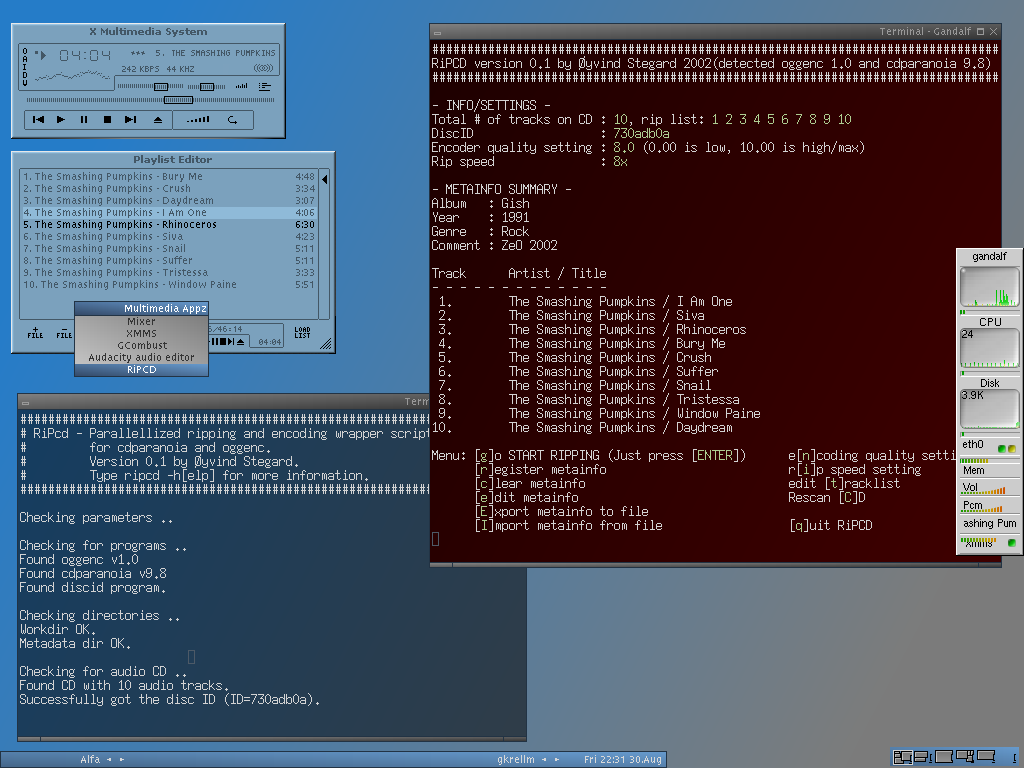
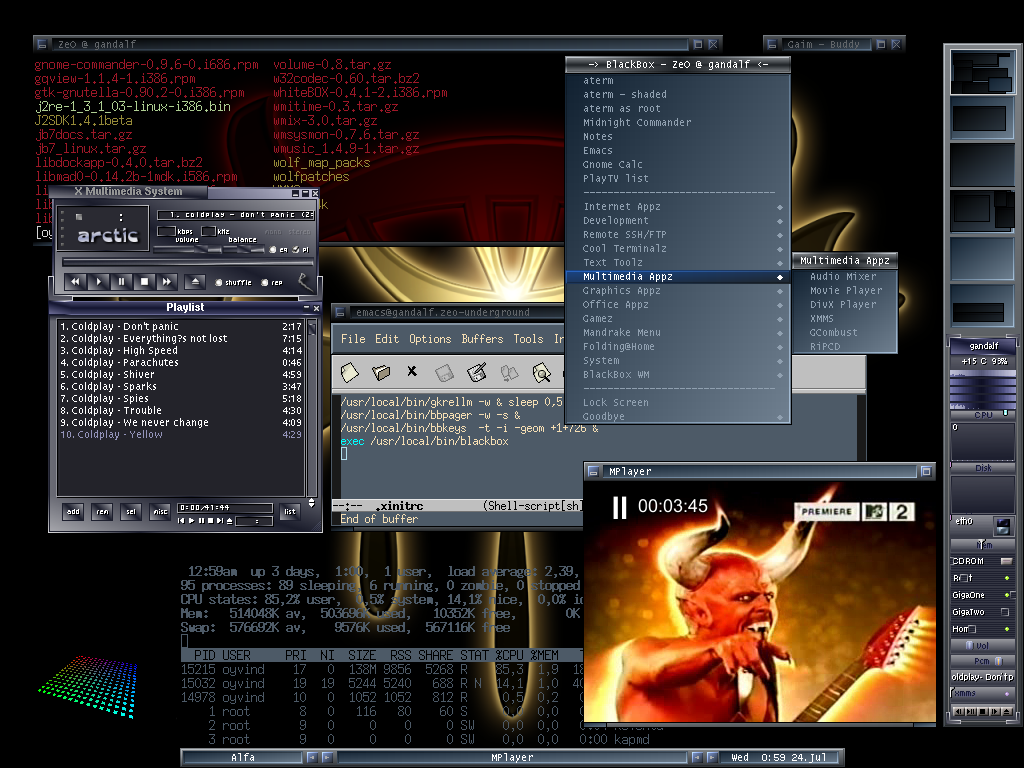
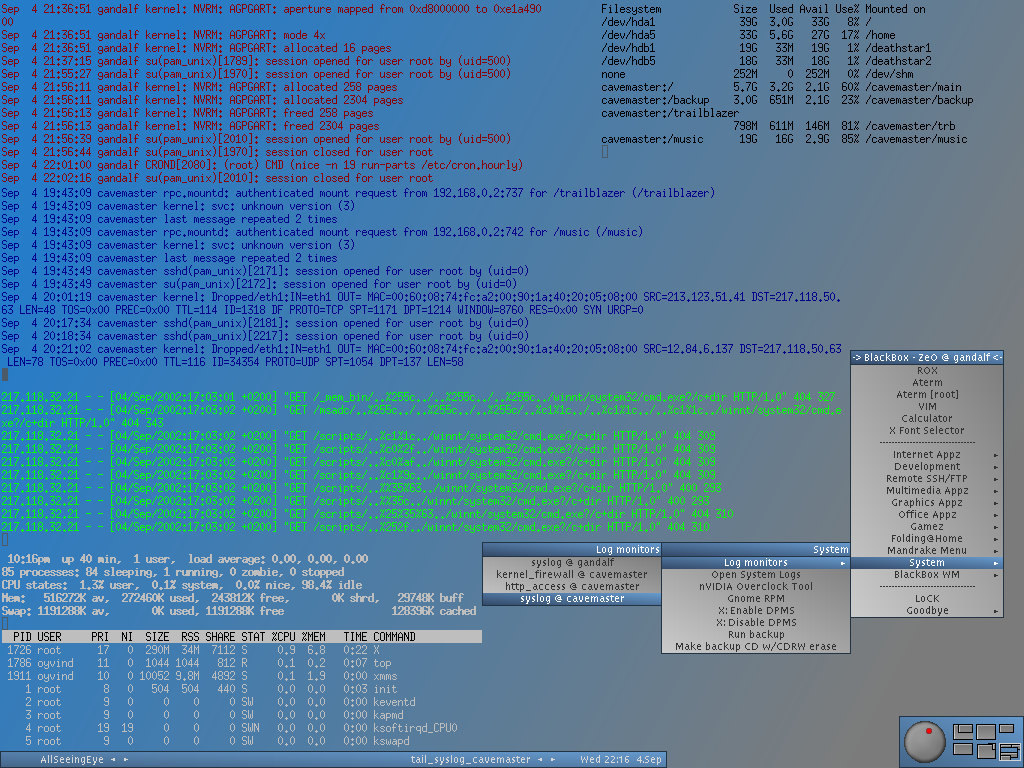
Just thought I would share this just for fun – screenshots of my Linux desktop from around the year 2002. If I remember correctly, this was the Mandrake Linux distribution, and I used the Blackbox X11 window manager.

Linux desktop screenshot showing the RiPcd-app.

This screenshot shows a TUI frontend-app I made for ripping audio CDs. I find it amusing that TUIs (Text User Interfaces) are apparently gaining popularity. New developer toys like those agent orchestration apps that talk to the LLMs in the sky. And a whole slew of other things, for instance in the frontend world. Very fancy TUIs actually. I’ve been using the command line and TUIs for over 25 years and still love the simplicity and purity.

This one is obviously more of a show-off screenshot with a different theme. Some great apps here: MPlayer, XMMS (audio player), Emacs (of course, still great), and lets not forget top(1) running in the background.

I used 6 virtual desktops, and this screenshot shows my «AllSeeingEye» desktop. Apparently just different logs/apps being tailed/watched in borderless and transparent terminal windows. Funny how the web server traffic is obviously some script kiddie trying to hack me.

My Linux desktop today is much more boring.

Categories
Other

Mobile only web design

Before, there were no smart phones, and web design was tailored to the computer screen. Then smart phones and tablets happened. Regular old web didn’t work so well on those, so the design became responsive and adapting to device screens. That often works well when someone actually cares about larger screen variants and implements dedicated layouts and styling.

Then mobile first happened.

Design for the mobile first and foremost, then consider designs for larger and wider screens as an afterthought. Too often it is actually mobile only design. Target the phones, and just forget about everything else. (Hell, just forget about the web entirely and force visitors to install an app, mhm ? Fuck that by the way.)

A mobile only web design may visually scale up without becoming ugly, but totally fail to take advantage of a larger screen with precise pointing device and a physical keyboard available. There is often too much wasted space; too much air, too big fonts, too big click (tap) targets and content hidden behind interactive revealing widgets. Too much imagery and visual design crap that actually drains mobile batteries faster. It becomes annoying to visit from a desktop.

In a mobile only web design, the menu is typically not directly visible, because it would take up too much space. So it requires interaction with a hamburger widget of some sort, which will reveal the menu items in huge font, typically covering whatever page is underneath completely. An anemic site map of sorts, because a real site map is just too much content. This is useless on a bigger screen – direct access to all menu items is much better. Similarly, other spacing saving measures just cripple the user experience on big screen, because of the narrow constraints. See the irony by the way ? The very WordPress theme I use on this site has some of those traits I do not like. (The newer ones are even more horrible, so I’m stuck with the lesser evil.)

Another common space saving measure is the Show more.. widgets. Instead of just laying out all the content and let users naturally ignore, scroll or flick past uninteresting stuff, the interface requires extra interactions while reading. When I’ve opened the next page of a book, I don’t want to be forced to do things with that page to read it. I just want to read it, skim it or skip it.

By all means, it makes very much sense to create mobile designs, but please don’t forget that the web is at its best when accessible on a variety of devices, including *OMG* actual computers with big screens.

I will end this rant by paying tribute to another lovely rant that explains this much more eloquently:
https://motherfuckingwebsite.com/

Categories
Hardware Linux

Kernel module amdgpu failed to load after BIOS upgrade

I recently did a BIOS upgrade on my main desktop machine (ASUS motherboard). It runs Ubuntu 24.04, has a dedicated AMD GPU and I use the proprietary AMD driver packages for ROCm compute support. What came as a surprise was the non-accelerated Gnome Shell experience that greeted me after the BIOS upgrade. I could tell something was off, and it didn’t take me long to notice that the KMS graphics subsystem was using some generic driver with poor acceleration. How can a BIOS upgrade cause this to happen ? Was my GPU suddenly bricked in some way ?

No, fortunately ! I just forgot about the fact that ASUS BIOS upgrades tend to mess around with the UEFI Secure boot key database, which is in essence a firmware trust store of public keys that is used to verify signatures of operating system binary artifacts (like boot loaders, kernel images and modules). After probing around for while, I discovered that attempting to load the amdgpu kernel module failed with an error related to cryptographic signature. (I cannot remember the exact message at this time.) Since a lot of other kernel modules where already loaded successfully, I figured this has to be caused by the proprietary driver being compiled (and signed) externally by DKMS.

The obvious next step was to attempt a complete re-installation of the AMD driver packages and DKMS, which I hoped would fix-up the module signature issues. But it didn’t help at all, even though a full recompilation of the AMD kernel modules was completed without any obvious error messages popping up. The resulting module was still not trusted by the kernel. (Even wiping all packages and re-installing didn’t do it.)

I wasn’t planning on spending my morning messing with the UEFI firmware keys, and so I pondered just going back to the open source AMD driver, which already comes bundled with each kernel package (and no ROCm compute support..). But then I discovered references to DKMS and a cryptographic key pair, lurking under the system directory /var/lib/shim-signed/mok:

# ls /var/lib/shim-signed/mok
MOK.priv  MOK.der

That’s a certificate and private key, and «MOK» refers to the Secure Boot concept Machine Owner Key. You are normally allowed to adjust what Secure Boot trusts, if you have access to the physical machine on which it runs, which means you can modify the key database (trust store). After some research (and remembering I already did something very similar years ago), I figured I needed to try enrolling this public key into the UEFI key database:

mokutil --import /var/lib/shim-signed/mok/MOK.der

The mokutil command is used to interface with UEFI machine owner keys, and you can also check which MOKs are already enrolled using --list-enrolled.

The utility will ask for a password and you can simply invent something simple here. It is used only once as a challenge when entering the UEFI Mok manager utility after rebooting. From that firmware user interface you can then choose to enroll the new key and continue booting. After completing this step, the proprietary amdgpu kernel module loaded successfully once again and the problem was fixed.

I was disappointed by the Linux user experience here. A non-working graphics driver is not an obvious consequence of a BIOS upgrade, and had it not been for years of experience with Linux desktops, I would probably have given up much sooner. I don’t know if it’s just a bug that the key was not automatically re-enrolled by DKMS on re-installation, but that is certainly not a user friendly experience.